

Overview: Inventory management automation uses software to track stock, trigger replenishment and flag exceptions without manual updates. For OEMs, accuracy problems often start outside the warehouse: open supersessions, wrong-part dealer orders and demand history that mixes warranty, campaign and customer-pay volume. Automated tracking tightens receiving, picking and returning records. Forecasting only works when part data is clean. A parts catalog that controls identification upstream keeps bad orders from becoming bad inventory data. The practical result is fewer emergency orders, fewer avoidable returns, and planners who work exceptions instead of spreadsheets. Results depend on data quality, integration, and dealer adoption.

Key Takeaways:
- Scope: Automation handles tracking, replenishment triggers, and exception alerts. It cannot repair a part master with duplicate numbers or open supersessions.
- OEM reality: Wrong-part dealer orders and unresolved supersessions distort stock records and demand history before any warehouse count is off.
- Operational step: Pick one measurable problem, such as incorrect-part returns or emergency order share, and pilot it with one region.
- Business impact: Cleaner orders and demand data support better fill rates and less rework. Gains depend on integration and dealer adoption.
Improve Inventory Accuracy Across Your OEM Network. Request a Free Demo
What Is Inventory Management Automation for OEMs?
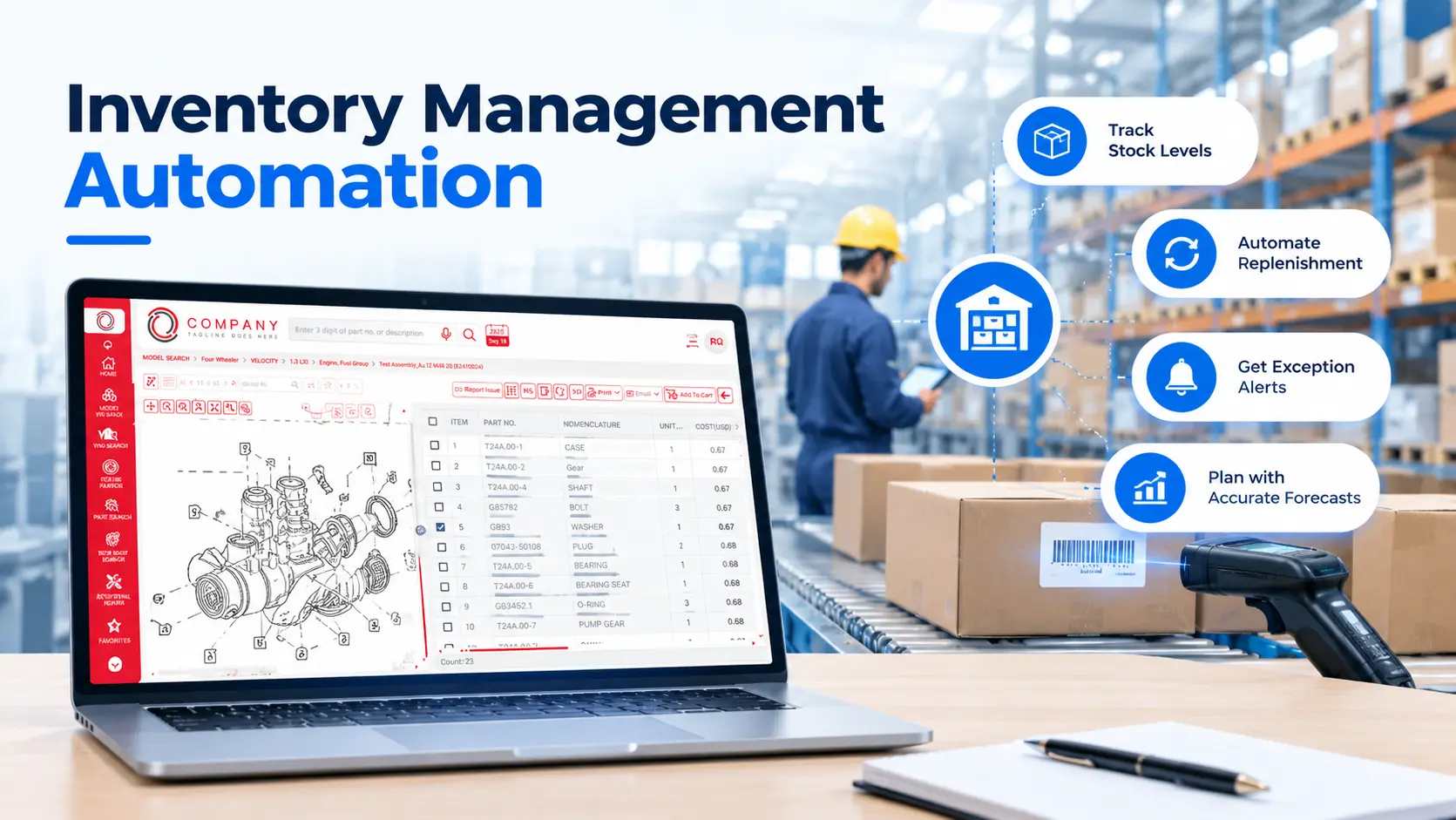
Inventory management automation for OEMs means using connected software to track parts stock, set replenishment triggers, and flag exceptions across distribution centers and the dealer network. It replaces manual counts, spreadsheet updates, and phone calls with system-driven records, so planners can act on discrepancies instead of hunting for them.
At an OEM, automated inventory management reaches past the four walls of a warehouse. Two things separate it from independent aftermarket distribution:
- Demand arrives through dealers. OEMs generally see franchised dealer orders (stock, daily and emergency/VOR) more reliably than they see what sits on dealer shelves.
- Part numbers change. Supersessions, interchangeability and campaign parts mean one physical part can sit under several numbers over its life.
Scale makes the data problem harder. NADA reports that franchised dealers wrote more than 276 million repair orders in 2025, with service and parts sales above $164 billion. Many of those repair orders pull parts through the OEM supply chain, so an error at the dealer counter travels upstream.
Where Does OEM Inventory Accuracy Break Down?
OEM inventory accuracy usually breaks at handoffs: when a part number changes, when a dealer orders the wrong item, when returned stock waits in receiving, or when dealer stock is invisible to planners. These are process and data gaps first and counting gaps second. Automation helps only where it addresses the specific gap.
Warehouse miscounts happen too, and the next section covers how automated tracking handles them. The point here is that several errors start before a part ever reaches a bin.
How Does Automated Inventory Tracking Work in an OEM Parts Network?
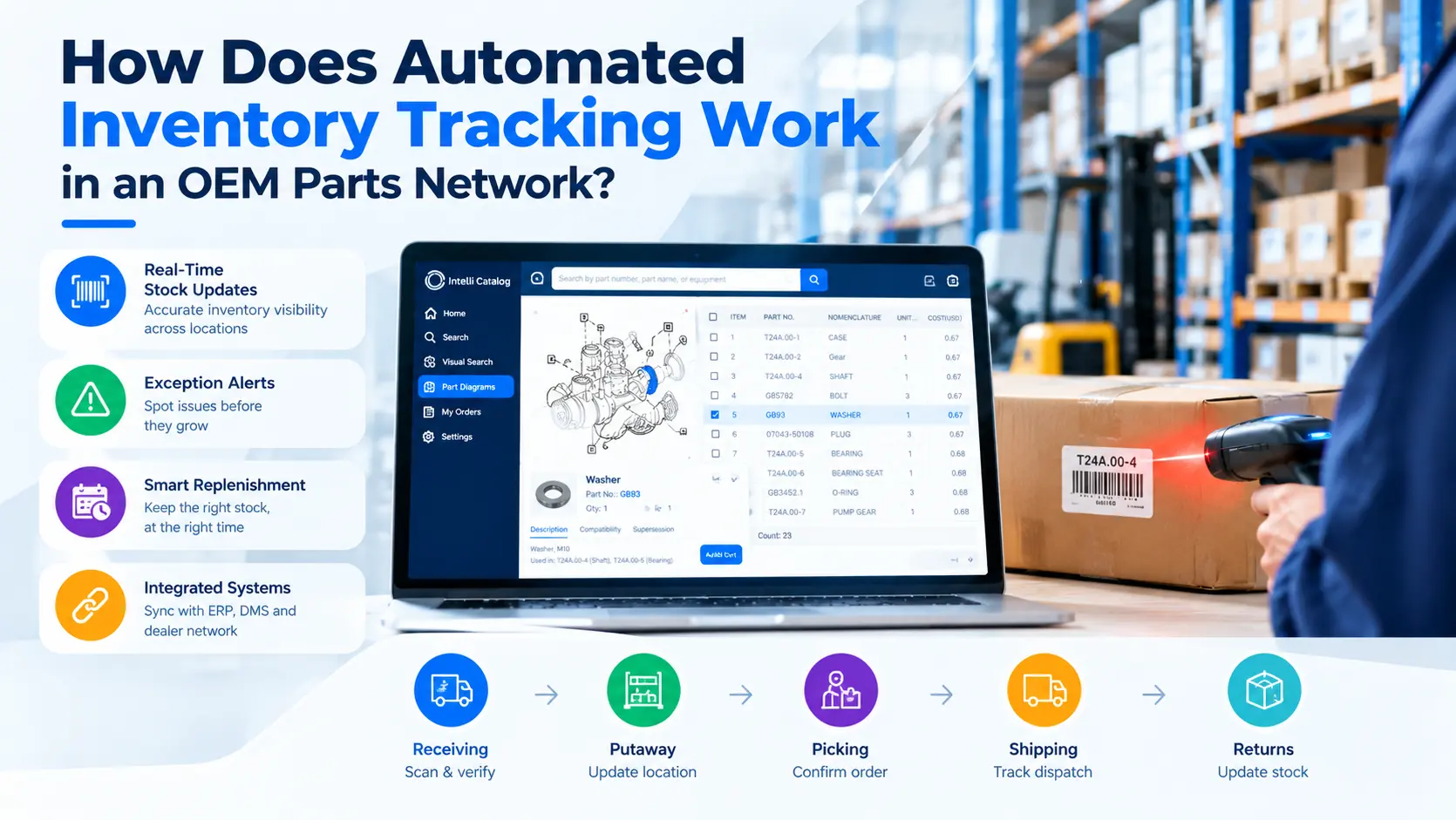
Automated inventory tracking records each stock movement as it happens: receiving, putaway, picking, shipping, and returns. Scans and system transactions replace manual entry, so on-hand quantity and bin location update in real time and exceptions surface quickly. The accuracy gain depends on scanning discipline and clean part master data.
When evaluating a setup, look for these capabilities:
- Scans at each handoff: receiving against the PO or advance ship notice, putaway to location, and pick confirmation.
- Exception alerts: negative stock, location mismatches, aged stock, and short picks flagged as they occur.
- Risk-based cycle counting: fast movers and high-value parts counted more often than slow movers, instead of relying on one annual wall-to-wall count.
- Order and dispatch sync: dealer orders flow to the ERP, and dispatch details return to the dealer, so counter staff can quote a realistic delivery date.
None of this fixes a part master with duplicate numbers or missing data. Clean that up first, or the system will faithfully track the wrong thing.
Why Order Accuracy Is an Inventory Problem?
A wrong-part order is an inventory event, not only a customer service issue. It consumes stock, creates a return, triggers an emergency order for the right part, and records demand nobody needed. Catching the error at identification, before the order is placed, protects both stock accuracy and the demand data planners rely on.
Here is how one bad order spreads through the network:
- Counter staff or a technician picks a similar-looking part number from a PDF or an outdated catalog.
- The OEM ships it. Stock decrements and freight is paid.
- The dealer finds the mismatch and requests a return. The part sits in transit, then in receiving.
- The dealer places an emergency order for the correct part while the vehicle waits on the lift.
- Demand history now shows a sale of the wrong part.
Fitment checks against VIN or serial number, visible supersession history, and exploded diagrams with hotspots reduce the odds of step one. Where fitment changes by build date, option code, or serial range, a VIN- or serial-driven lookup is a stronger control than part-number search alone.
Inventory Forecasting: What Clean Data Changes
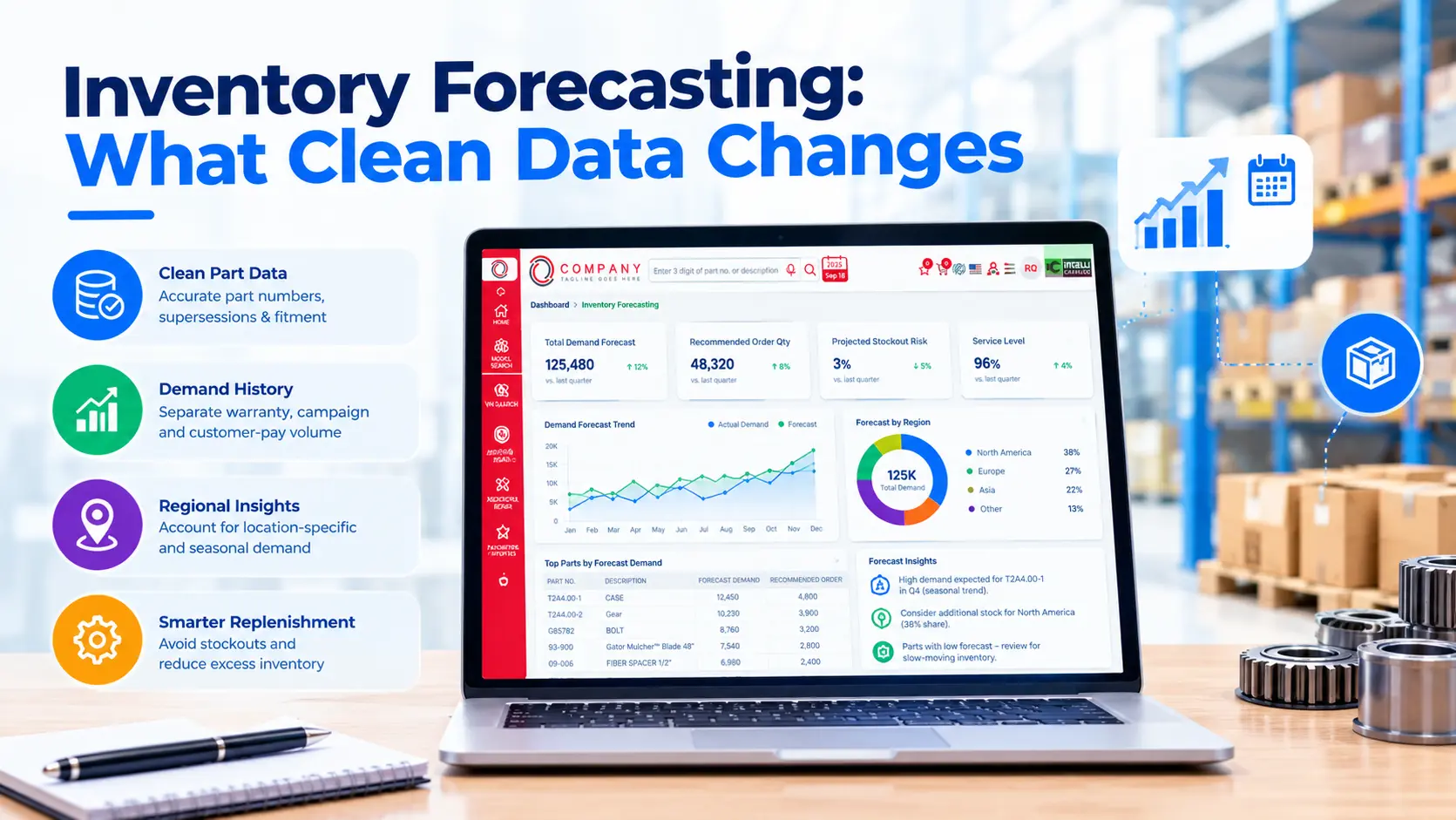
Inventory forecasting estimates future part demand from past usage so replenishment matches what dealers will actually need. Automation runs the math faster across more part numbers, but the output is only as good as the demand history. Mixed supersession chains, wrong-part orders, and campaign spikes need cleaning first.
Before trusting a forecast, fix the demand history:
- Roll demand up across each supersession chain so the current number carries the full history.
- Separate warranty, campaign, or recall volume from customer-pay demand. Campaign spikes are one-time events.
- Net out demand created by wrong-part orders and their returns.
- Segment by region where it matters, such as battery demand in cold-weather markets.
Start with parts that hurt most when missing: high-volume maintenance items and critical repair parts that leave a vehicle off the road. Slow movers can run on simpler min/max rules. A planner reviewing exceptions weekly will usually catch more than a model nobody checks.
Some electronic parts catalog platforms add a forecasting module like Intelli Forecast, which combines historical sales with factors such as dealership location and weather. Treat any such tool as a planning aid and validate its output against OEM’s own fill-rate and stockout history.
Where Electronic Parts Catalog Software Fits
Electronic parts catalog software does not replace OEM’s ERP or warehouse system. It controls the step before them: how parts get identified and ordered. Intelli Catalog covers VIN and serial search, supersession tracking, illustrated hotspots, and order tracking, which limits bad data entering inventory and demand records.
Based on the product documentation, the capabilities relevant to inventory accuracy include:
- Search options: VIN or serial, model, figure, and part number search. The product page also lists natural-language and visual search driven by AI.
- Supersession history: dealers can check part history, compatibility, and availability before ordering.
- Illustrations: 2D and 3D diagrams with part hotspots.
- Orders and returns: order management and tracking, two-way ERP/DMS integration for order submission and dispatch sync, and an add-on returns module with return reasons such as ordered wrong part.
- Admin control: mapping parts to model, variant, and VIN or serial number, and distributing bulletins to dealers.
One caveat applies to any catalog, including AI search. It can only return what the application data supports. Incomplete fitment data produces incomplete answers whether the user searches by VIN, text, or image. Budget for data cleanup in the rollout.
Conclusion
Inventory management automation works at OEMs when it targets the real sources of error: open supersessions, wrong-part orders, returns in limbo, and demand history that mixes unlike volumes. Tracking and forecasting reduce manual effort, but they depend on clean part data, connected systems, and dealer adoption. Fix identification and data first, then automate stock movements and replenishment around them.
Reduce wrong-part orders, improve stock visibility, and make replenishment decisions with cleaner parts data. Book a demo to see how Intelli Catalog supports accurate parts identification and connected ordering workflows.
Frequently Asked Questions
How is automated inventory management different from using an ERP alone?
An ERP holds the inventory record, but staff still key in many updates by hand. Automated inventory management adds scan-based transactions, rule-based replenishment triggers, and exception alerts on top of it. The ERP stays the system of record; automation cuts manual entry and surfaces discrepancies sooner than periodic counts.
How accurate should OEM parts inventory records be?
No single benchmark fits every OEM. Set targets by part class: tighter for fast movers and critical repair parts, looser for slow movers. Measure record accuracy through regular cycle counts by location, and treat repeat discrepancies as a process problem rather than a counting problem. The target should reflect the cost of being wrong.
How long does inventory management automation take to implement?
It depends on scope. Scanning at one distribution center is a smaller project than integrating dealer ordering, ERP, and returns. Data cleanup, especially supersessions and fitment, often sets the schedule. A phased rollout in one region lets teams test results, fix gaps, and build dealer confidence before expanding to the full network.
Does automated inventory tracking help dealers or only the OEM?
It helps both when dealers use it. Dealers see order status and availability before promising a repair date. The OEM gets cleaner demand signals. If dealers work around the system with phone orders or old PDFs, OEM data stays incomplete, and the benefit shrinks for everyone.


Explore More Insights







About the Author


Nishant Sharma
Nishant Sharma is the Head of Demand Generation at Intellinet Systems, specializing in B2B marketing, sales, digital transformation, and automotive aftermarket solutions. He shares insights on emerging technologies, industry trends, and strategies that help OEMs and businesses improve operational efficiency, customer experience, and aftermarket growth.


