

Overview: A digital dealer management system (DMS) is a platform that connects dealer sales, service, parts, warranty, and billing through shared customer and vehicle records. For OEMs, it can replace disconnected spreadsheets, paper job cards, and manual handoffs while integrating with dealer systems that already manage core operations. The value sits in the handoffs: inquiry to delivery, appointment to repair order, and repair order to claim. When those steps share a consistent record, dealers can reduce duplicate entry, and OEMs can receive more comparable network data. Results still depend on clean parts and vehicle data, reliable integrations, process discipline, and dealer adoption.

Key Takeaways
- Shared record: One customer and VIN history lets sales and service work from the same facts.
- Parts accuracy: Job cards connected to catalog and inventory data can help technicians and parts teams identify the appropriate part and application.
- Warranty: Claims created from repair orders can carry technician findings, parts, labor, and supporting evidence into the warranty workflow.
- Dealer workflows: Digital workflows reduce duplicate entry across sales, service, parts, and warranty.
- OEM visibility: Consistent workflows can give OEM teams more comparable dealer data, provided required information is captured consistently.
What Does a Digital DMS for Dealers Actually Change?
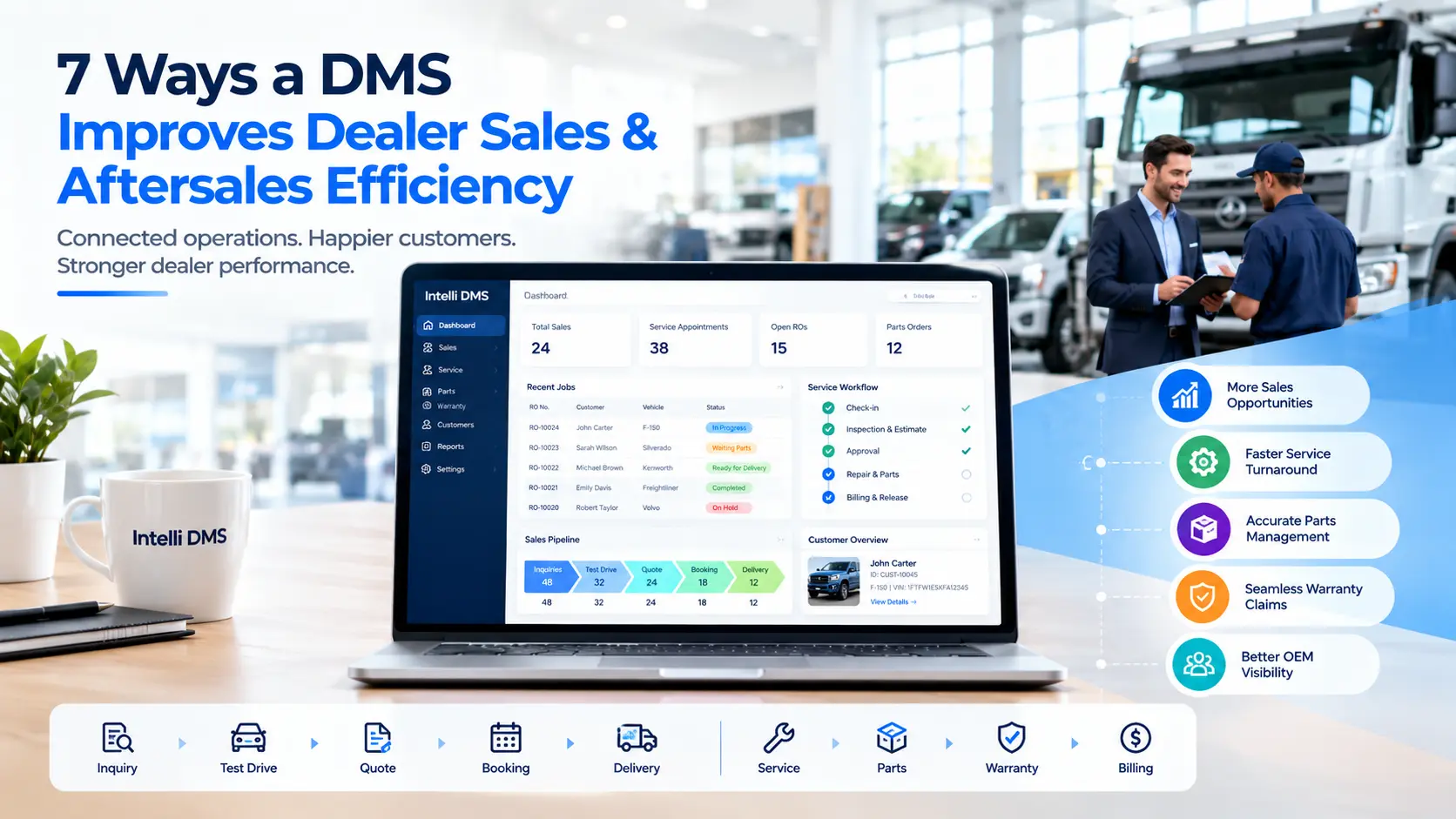
A digital DMS for dealers replaces disconnected sales logs, paper job cards, parts spreadsheets, and email-based claims with one workflow. The change that matters is that each step creates data the next step can use. A delivery creates a service record. A job card creates a parts request and, when needed, a warranty claim.
Service is not a side business. NADA Data 2025, Full-Year Report shows that U.S. franchised dealers wrote more than 276 million repair orders, while service and parts sales exceeded $164 billion.
Where sales and service operate on separate systems, customer and vehicle information may need to be transferred manually between teams. A connected DMS creates a shared workflow so the next process can use information captured in the previous one. The OEM feels that gap as inconsistent customer data, slow claim cycles, and dealer reports that cannot be compared. The seven changes below are where a connected platform makes a practical difference.
1. One Customer and VIN Record Across Sales and Service
A digital DMS maintains a single customer and VIN record that both sales and service teams can read and update. When a vehicle is delivered, the record already holds the buyer, the build, and the warranty start date, so the first service booking and later trade-in appraisals start from facts rather than phone calls. For dealers, this means salespeople, service advisors, and managers work from the same customer and vehicle history instead of requesting information from another department.
In practice, that record changes what people see at the moment they need it:
- Advisors see purchase date, accessories sold, and any open OEM campaigns (where the OEM feeds that data in) at check-in.
- Used-car managers see whether scheduled maintenance was done at the dealership before they appraise a trade.
- Salespeople see open repair orders before calling a customer about an upgrade.
None of this guarantees retention. It removes a common reason customers are contacted at the wrong time with the wrong offer.
2. A Fixed Inquiry-to-Delivery Path for Dealer Sales Management
Dealer sales management improves when every inquiry follows the same stages: capture, test drive, quote, booking, allocation, and delivery. A digital DMS enforces those stages and routes discount or exchange approvals through OEM policy, so managers see where deals stall and the OEM sees comparable pipeline data.
Not every lost deal is lost at the negotiation stage. Some opportunities can stall earlier when inquiries sit in spreadsheets, or follow-up depends on manual reminders. A structured workflow addresses that directly:
- The lead source is tagged at entry, so OEM marketing can see which channels drive bookings.
- Discounts and exchange values go through a defined approval process rather than a verbal okay.
- Allocation is visible, so no one promises a unit that is already reserved.
Conversion improves only if the team acts on the tasks the system creates. It can assign and remind. It cannot make the call.
3. Cleaner Write-Ups in Dealer Aftersales Management
Dealer aftersales management starts in the service lane. Digital appointments, inspections, and job cards capture the customer concern, advisor notes, and findings once, in a structured form. Estimates go to the customer for approval, and approved work reaches the technician without a second write-up.
Vague concern text such as “noise, check” is where comebacks and later claim rejection begin. A structured job card pushes the advisor to record the symptom, conditions, and customer authorization properly.
- Photos and video from the inspection support the estimate and the conversation with the customer.
- Declined work is recorded, so advisors can follow up rather than losing it.
- Split billing (customer, warranty, internal) sits on a single repair order, reducing accounting corrections.
4. Parts Requests Tied to the Digital Job Card and Catalog
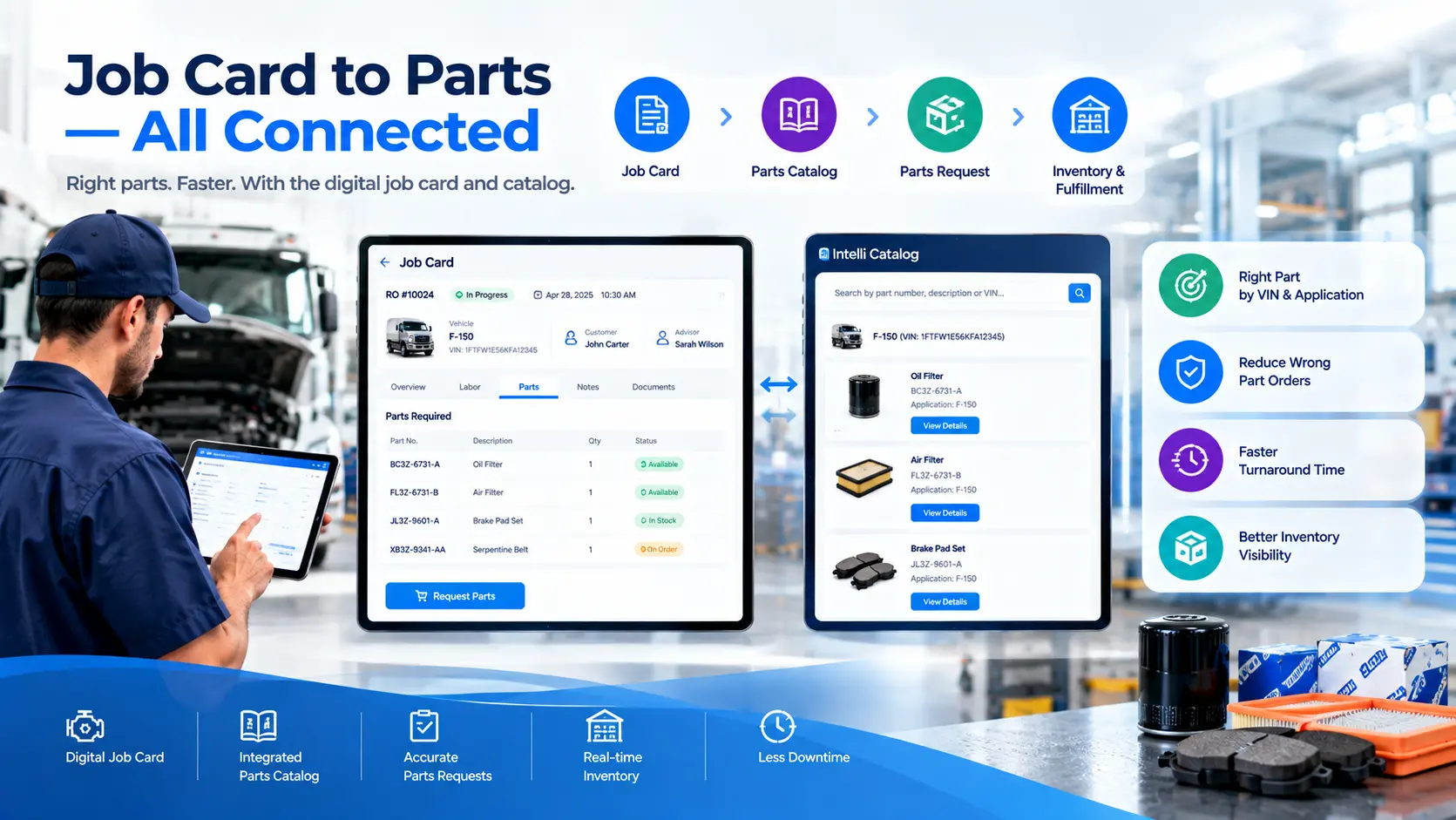
Linking the digital job card to inventory and the electronic parts catalog lets technicians request the right part by VIN and application, with supersessions applied. The parts counter sees demand as it happens, which reduces wrong-part pulls, emergency orders, and the returns that follow. For dealers, this gives the parts counter a request tied to the actual repair order, making it easier to identify the correct part and avoid unnecessary returns.
The usual failure looks like this: a technician requests a part by description, the counter picks between two similar part numbers, the wrong one arrives, and the vehicle sits in the bay. A job-card-driven request removes the guesswork.
- Live stock by location, with transfers between rooftops.
- Reorder suggestions based on actual repair order usage.
- Flags for dead stock before it ages out.
One caution for OEMs: a DMS linked to a weak fitment file only finds the wrong part faster. Audit catalog and supersession data before asking dealers to rely on it.
5. Warranty Claims Built From the Repair Order
When a warranty claim is created from the repair order instead of rebuilt afterward, the technician’s findings, parts used, labor operations, and photos are already attached. That shortens the path from repair to submission and gives OEM warranty teams claims with fewer gaps to chase. For dealers, building the claim from the repair order means technicians and advisors spend less time reconstructing information after the repair is complete.
- Complaint, cause, and correction are captured in the bay, not reconstructed days later.
- Failed parts are flagged for return at the time of repair.
- Claim status is visible to both the dealer and the OEM, which cuts status calls and email chains.
Rejection rates still depend on how clear the OEM’s warranty policy is and how well technicians document the repair. The system makes the information available. It does not make it accurate.
6. Workshop Capacity and Technician Dispatch
A digital DMS shows which jobs are waiting, in progress, waiting for parts, or ready for delivery, and who is working on what. Service managers can assign work by technician skill and bay availability, and spot stalled vehicles before the customer calls to ask.
Where workshop status is tracked manually, whether on a whiteboard, spreadsheet, or informal communication, managers have less real-time visibility into stalled vehicles and technician workload. Digital dispatch replaces that with visible status and skill-based assignment, such as sending a diagnostics job to a technician certified for it.
The commercial angle is simple. Recovering idle time between jobs can help a dealer increase productive workshop capacity before it considers additional bays or staffing. Turnaround time by repair type can also show managers which jobs are consistently running long.
7. Comparable Dealer Data and Standard Processes for OEMs
For OEMs, one of the main benefits of a connected dealer management system is more comparable operational data. When dealers capture inquiries, repair orders, claims, and parts usage using consistent fields and workflows, OEM teams can compare performance across locations, monitor process compliance, and identify recurring operational issues without relying entirely on manually compiled dealer reports.
Dealer-system requirements vary by market. In the U.S., franchised dealers often already operate established DMS platforms, while OEM networks in other markets may use different combinations of dealer, ERP, service, parts, and local communication systems. In either case, integration and data ownership need to be defined before rollout. Settle these questions before rollout:
How Does Intelli DMS Support Sales and Aftersales Management?
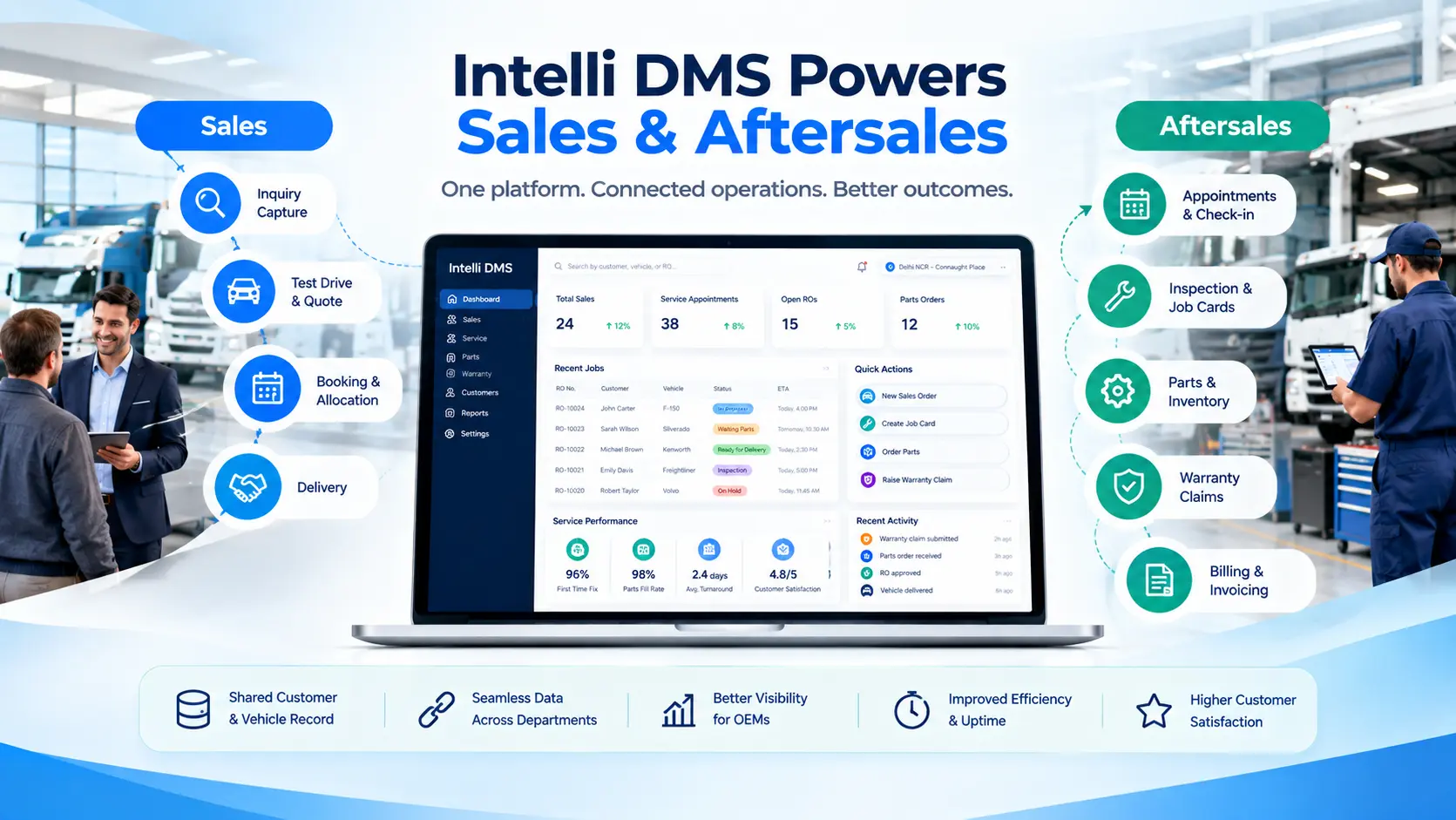
Intelli DMS is a cloud-based dealer management system that covers sales and service in a single platform, with connected modules for parts, warranty, inspections, and dealer support. Sales workflows run from inquiry to delivery, while service workflows cover appointments, inspections, job cards, repair estimates, workshop execution, and invoicing.
How this works in practice
The practical difference is the connection between workflows. A vehicle delivered through the sales workflow can carry its customer and VIN information into service. A service job can generate the parts request, and completed repair information can feed the warranty workflow. This reduces the need to reconstruct information at each handoff, while OEM dashboards can use the resulting data for network-level reporting.
The main workflows covered by Intelli DMS and its connected modules include:
Conclusion
A digital DMS for dealers pays off where departments hand work to each other: sales to service, service to parts, repair order to warranty claim. Shared records reduce re-keying, and standard workflows give OEMs comparable data. The outcome depends on clean catalog and vehicle data, reliable integrations, consistent processes, and dealer adoption. Intelli DMS brings sales and aftersales workflows together in a single platform with connected modules for parts, warranty, inspections, and dealer support.
Book an Intelli DMS demo to see how a single repair order drives the parts request, the warranty claim, and the OEM dashboard, and how a customer record moves from vehicle delivery to the first service visit.
FAQs
What is a digital DMS for dealers?
A digital DMS for dealers is software that manages sales, service, parts, warranty, and billing in one system with shared customer and vehicle records. Dealers move from inquiry to delivery to repair order without re-entering data, and OEMs receive consistent information across the network, which makes reporting and process audits easier.
How does a digital dealer management system improve aftersales?
It captures the customer concern, inspection findings, parts, and labor in a digital job card. That record drives estimates, parts requests, technician assignment, invoicing, and warranty claims. Advisors re-key less, and managers can see where vehicles are waiting, which makes turnaround problems easier to find and correct.
Can a digital DMS work alongside the systems dealers already use?
A digital DMS can work alongside existing dealer systems when the required APIs, data fields, and integration points are available. Before rollout, OEMs should map which system remains the system of record for customer, vehicle, inventory, repair-order, and warranty data.
How does a digital DMS help dealer sales management?
It standardizes the stages from inquiry to delivery, logs every follow-up, ties quotes to approved pricing, and shows allocated stock. Managers see stalled deals, and OEMs see consistent pipeline data by lead source. Closing rates still depend on how quickly the dealership team acts on the tasks the system creates.
How much does a digital DMS cost?
The cost of a digital DMS depends on the modules deployed, number of dealerships, users, integrations, data migration requirements, and customization. OEMs should compare licensing, implementation, integration, training, and ongoing support costs rather than evaluating the software price alone.
How long does it take to implement a digital DMS?
Implementation time depends on the rollout scope, existing dealer systems, integrations, data migration, and the number of dealerships involved. A phased rollout can start with one region, function, or pilot dealer group before expanding across the network.


Explore More Insights







.webp)


About the Author


Nishant Sharma
Nishant Sharma is the Head of Demand Generation at Intellinet Systems, specializing in B2B marketing, sales, digital transformation, and automotive aftermarket solutions. He shares insights on emerging technologies, industry trends, and strategies that help OEMs and businesses improve operational efficiency, customer experience, and aftermarket growth.


