

Overview: Converting service manuals to interactive digital manuals means migrating static PDF documentation, service manuals, parts manuals, and technical bulletins into a structured, searchable, mobile-ready platform that technicians can access from any device. The process follows six steps: audit existing documentation, build a migration strategy, convert static PDFs into structured digital content, deploy a centralized platform, strengthen search with serial number-based delivery, and train dealers to drive adoption. OEMs that complete this shift enable technicians to find direct answers instead of scrolling through lengthy PDFs while eliminating the version conflicts that result from maintaining manuals across multiple systems and dealer locations. Intelli Manual is built specifically to run this process end-to-end, from structured content to network-wide delivery.
Key Takeaways:
- Intelli Manual converts static service manuals into structured, AI-searchable digital manuals built for OEM dealer networks.
- Digitizing OEM service documentation replaces static PDFs with structured, searchable content technicians can use on any device.
- Migration works best as a six-step process: audit, strategy, content conversion, platform deployment, search optimization, and dealer training.
- Over 80% of service technicians spend 30 minutes to two hours a day searching for information, a cost that structured digital manuals directly reduce, as per Fluid Topics.
- Serial number-based content delivery removes fitment guesswork by showing technicians only the documentation relevant to their exact unit.
- A single source of truth across the dealer networks keeps every technician working from the same, current version of every procedure.
- Platforms such as Intelli Manual give OEMs a centralized home for service documentation with AI-powered search and real-time updates.
What Does it Mean to Convert Service Manuals to Interactive Digital Manuals?
Digitizing service manuals transforms static PDF and printed documentation into structured, searchable content with natural language search, serial number-based filtering, and mobile or offline access. Instead of opening an 800-page PDF, a technician types a question and gets the exact procedure.
Static manuals were built for publishing, not for the way technicians actually work. A PDF organizes content by chapter and document number, but a technician searching for a fix does not think in chapter numbers. They think in symptoms, part numbers, or fault codes.
This gap has a measurable cost. Research from Fluid Topics found that over 80% of service technicians spend between 30 minutes and two hours a day searching for the right information to complete a task, and 10% spend more than two hours. When multiplied across a dealer network with hundreds of technicians, those lost minutes translate into fewer billable repair hours, lower first-time fix rates, and reduced service productivity.
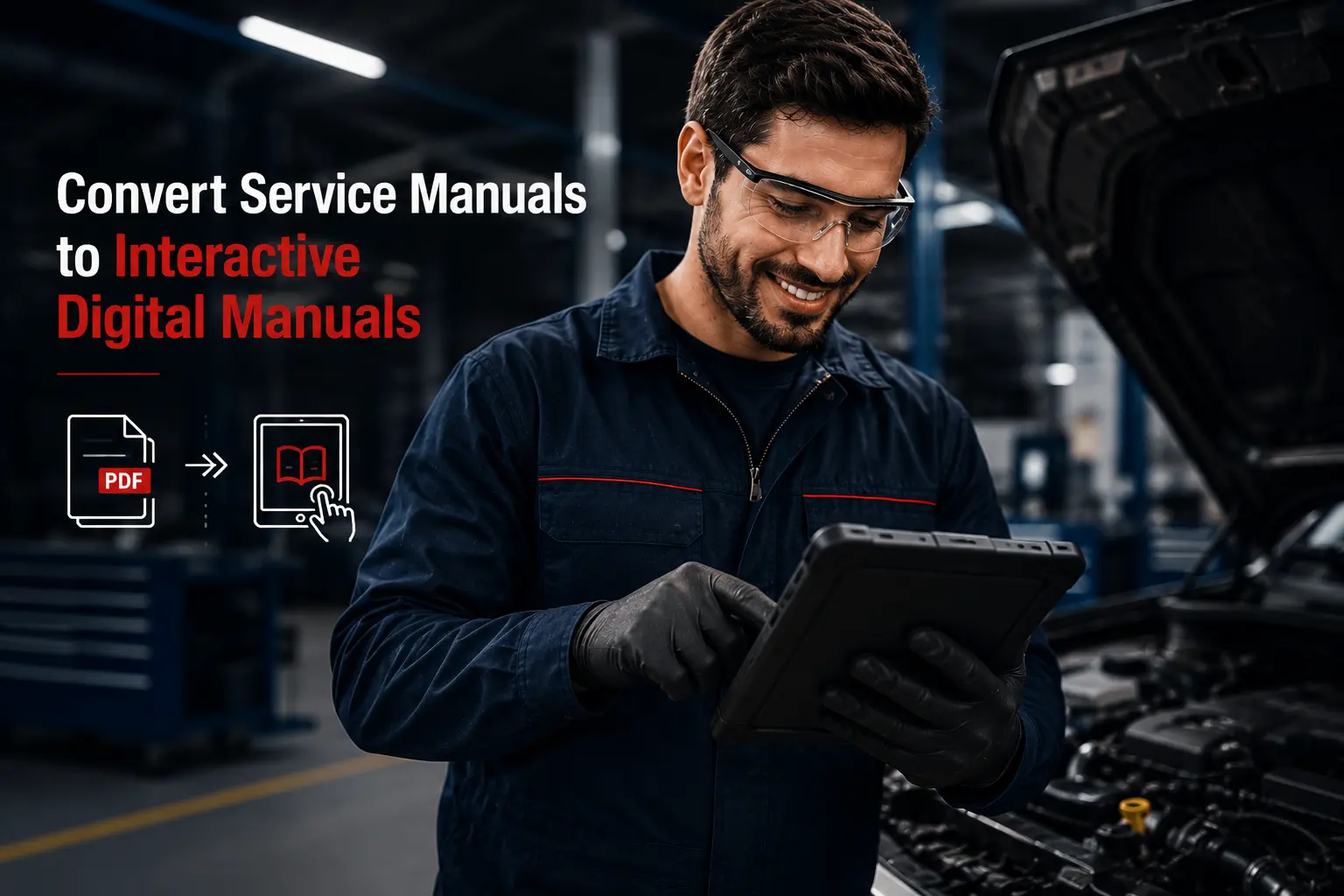
Interactive digital manuals close this gap by structuring content around how technicians search, not how documents are published.
Step 1: Audit Your Existing Service Manual Library
Start by cataloguing every type of manual in your documentation library, including service manuals, operator manuals, parts manuals, and technical service bulletins (TSBs). Assess content quality and version status for each one so you know exactly what should move to the new platform and what should be retired.
A useful audit captures, for every document:
- Manual type, format, and current owner
- Last revision date and version history
- Duplicate or conflicting versions across dealer locations
- Deprecated models, discontinued parts, or obsolete procedures
- Content accuracy and completeness
Carrying outdated content into a new platform recreates the same problems in a new location. An honest audit, even an uncomfortable one, saves rework later and gives the migration team a clean starting point.
Step 2: Build a Migration Strategy Before You Move a Single File
Define what success looks like before migration begins: reduced technician search time, fewer version conflicts, real-time bulletin delivery, or mobile access in the workshop. Then prioritize the manuals with the highest daily use, so the project delivers value early.
High-volume service procedures, complex diagnostic guides, and parts identification manuals are usually the right place to start. Early wins build momentum and give dealer stakeholders a reason to trust the new platform.
Before migration, put governance in place. Define:
- Who owns each document
- Who is authorized to update it
- How version changes are communicated
- What the review cycle looks like
Without governance, a digital platform eventually drifts back toward the same disorder as the legacy library it replaced.
Step 3: Convert Static PDFs into Structured, Searchable Content
Uploading PDFs to a new platform is digital storage, not digital transformation. True conversion breaks procedures into discrete, tagged sections, links parts, references to catalog data, and indexes specifications so they surface directly in search results.
This is the step most OEMs underestimate. When content is structured correctly, a technician searching for a coolant flush procedure on a specific engine model gets a direct answer, not a 200-page PDF they have to scroll through manually. The user should never need to know which document a fact lives in; the system should surface it for them.
This is the core of what Intelli Manual does: it takes existing PDF service manuals, parts manuals, and bulletins and breaks them into tagged, modular sections rather than leaving them as flat, scrollable files. Parts references are linked directly to the parts catalog, specifications are indexed for search, and the resulting structured content powers natural language search and serial number-based lookups.
Step 4: Choose a Centralized Interactive Digital Manual Platform
The platform needs to work as a single source of truth for every dealer, technician, and service market: always current, always accessible. Real-time updates and multi-device support, including tablets and mobile phones on the workshop floor, are non-negotiable requirements.
When a technician bulletin is published, or a procedure is revised, it should be live across the network immediately, not queued for the next distribution cycle. Look for a platform that covers these criteria:
- Real-time content updates pushed across the entire dealer network
- Structured taggable content rather than flat PDF storage
- Mobile and offline access for the workshop floor
- Role-based access control by dealer and market
- Native support for serial number-based content delivery
Intelli Manual, an AI-powered interactive digital manual, is built for this requirement. It gives OEMs a centralized documentation platform with AI-powered search, structured content delivery, and network-wide access control, so every dealer works from the same current version and administrative overhead drops.
Step 5: Strengthen Search and Serial Number-Based Access
AI-powered search enables technicians to find procedures using natural language rather than document numbers. Serial number-based delivery goes further: a technician enters the unit’s serial number and receives only the documentation for that exact model, specification level, and applicable bulletins.
This removes fitment guesswork and reduces the risk of a technician applying a procedure meant for a different variant. Mobile and offline access extend the same capability to technicians working in remote locations or low-connectivity workshops, so documentation is available wherever service actually happens.
Intelli Manual applies this at the search layer: technicians type a plain-language question and get a direct answer pulled from structured content, and serial number lookups filter results down to the exact model and specification before a technician opens a single page.
Step 6: Train Dealers and Technicians to Drive Adoption
Technology does not drive adoption; people do. Dealer onboarding should cover platform navigation, search functionality, and how to access bulletins and updates, with a documentation champion at each major location to reinforce usage.
A practical adoption plan includes:
- Structured onboarding and training at every dealer location
- A designated documentation champion at each major site
- Monitoring login frequency, search patterns, and document access rates after go-live
- Actively collecting technician feedback during the first 90 days
Technicians using the platform daily will surface usability issues, missing content, and workflow gaps that no internal review process would catch on its own. Intelli Manual’s usage dashboards provide OEMs with this adoption data directly, so a documentation team can see which dealers have gone live, which manuals are searched most, and where technicians are still getting stuck.
Common Mistakes to Avoid During Manual Migration
The most frequent failures are predictable and preventable: migrating outdated content without auditing first, treating PDF uploads as the finish line, ignoring how technicians actually search, and leaving content ownership undefined.
- Skipping the audit and importing outdated or duplicate content
- Treating PDF uploads as the end goal instead of structured content
- Designing the platform around administrators instead of technician workflows
- Leaving content ownership undefined so updates stall
- Underinvesting in dealer training and adoption tracking
What Success Looks Like After Conversion
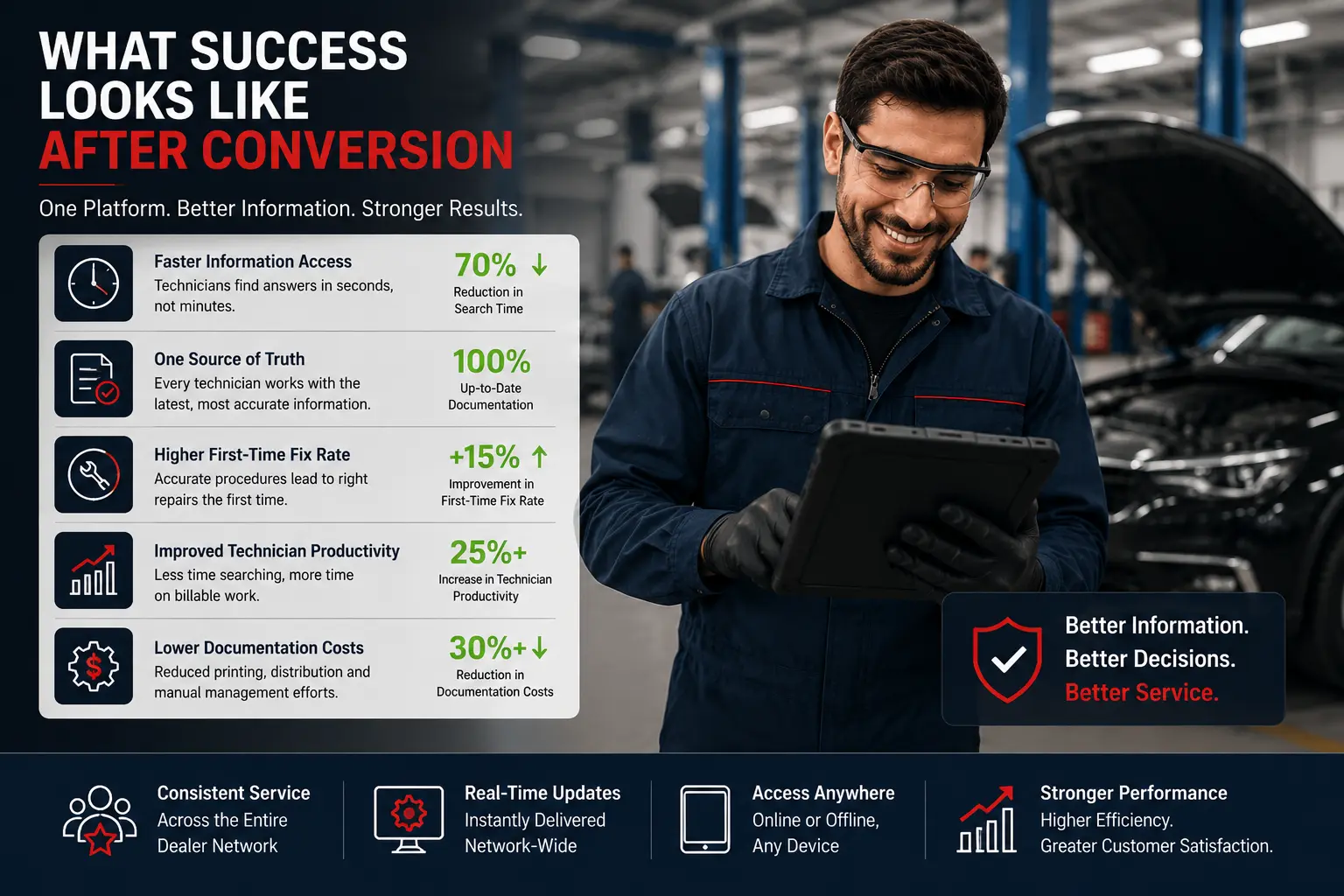
A well-executed conversion produces measurable results within a few months: faster technician search times, one current version of every procedure, and consistent service across the dealer network. Administrative effort to maintain and distribute documentation drops substantially.
Documentation access is one of the levers behind first-time fix rate. Most field service organizations such as TrueContext report first-time fix rates between 75 and 80%, with top performers reaching 88 to 89%. Structured, searchable documentation that technicians can trust on the first visit is part of what separates the two groups.
Conclusion
Converting service manuals to interactive digital manuals is a structural change, not a file transfer. It starts with an honest audit of the existing documentation library, moves through a governed migration strategy, and depends on converting static PDFs into structured content designed for search rather than publishing. The platform an OEM chooses must function as a single source of truth across the dealer network, with real-time updates and mobile access built in from the start.
The business case is straightforward. Technicians spend less time searching and more time on billable repair work. Documentation accuracy improves because there is only one current version of every procedure. Service consistency increases across the dealer network because everyone works from the same source. For OEMs ready to make this shift, platforms like Intelli Manual provide the centralized, AI-searchable foundation the process depends on.
Still relying on static PDFs?
Request a Demo to see how Intelli Manual converts service manuals into AI-powered interactive digital manuals that help technicians find the right procedure in seconds.
Frequently Asked Questions
How long does it take to digitize OEM service documentation?
Timeline depends on library size and content quality, but most OEMs complete the six-step process- audit, strategy, conversion, platform deployment, search setup, and dealer training- within three to nine months. Manuals with the highest daily use are typically converted first so dealers see value early, while the rest of the library is migrated in phases without disrupting technicians already using the new platform.
What is the difference between a digital manual and an interactive digital manual?
A digital manual is simply a PDF stored online. An interactive digital manual breaks the same content into structured, tagged sections that support natural language search, links to parts catalogs, and serial number-based filtering. Instead of scrolling through a lengthy document, technicians receive direct answers to specific questions.
Do interactive digital manuals work offline in the workshop?
Yes. Platforms built for OEM service teams support mobile and offline access so technicians working in low-connectivity areas, such as remote service bays or field locations, can still open procedures, diagrams, and bulletins. Content syncs automatically once a connection is available again, so technicians are never blocked from doing their job by a weak signal.
How can OEMs encourage dealers to adopt a new digital manual platform?
Adoption depends on structured onboarding, a documentation champion at each major dealer location, and active monitoring of login frequency and search patterns after go-live. Gathering technician feedback during the first 90 days surfaces missing content and usability issues that internal reviews miss, and that input should feed directly back into platform refinements.
What does Intelli Manual do differently from a standard PDF library or DMS document module?
Intelli Manual is purpose-built for OEM service documentation rather than general file storage. It structures service manuals, parts manuals, and bulletins into AI-searchable content, supports serial number-based delivery so technicians see only what applies to their unit, pushes updates live across the dealer network in real time, and works on mobile and offline. A standard PDF library or generic DMS document module stores files; it does not restructure or search them the same way.


Explore More Insights


.webp)


About the Author


Chandra Shekhar
Chandra Shekhar is the Senior Manager, Strategy & Business Development at Intellinet Systems. With over a decade of experience in the automotive industry, Chandra Shekhar has led digital transformation and aftersales strategy initiatives for OEMs across multiple markets. His background combines deep industry knowledge with a practical understanding of how technology can solve real operational challenges. He focuses on making complex ideas clear and relevant for automotive and aftermarket professionals navigating ongoing change.


