

Overview: AI Visual Part Search is technology that lets a technician take a photo of a part and get a matching identification back, without typing a part number, model code, or manufacturer name. It uses image recognition and machine learning to compare the photo against a parts catalog and return the closest matches in seconds.
This blog explains how AI Visual Part Search works, why part identification is a daily problem on the shop floor, and how OEMs and dealers can use AI Parts Identification and Visual Parts Search Software to cut repair time, reduce wrong-part orders, and support technicians who don't have catalog training. It also covers how Intelli Catalog applies this capability inside a standard EPC workflow.

Key Takeaways:
- AI Visual Part Search lets technicians identify a part from a photo rather than a part number, model code, or manual lookup.
- Technicians spend a large part of their shift searching for parts and information rather than doing repair work.
- Visual Parts Search Software works by matching image features (shape, markings, connectors, wear patterns) against a trained parts catalog.
- AI Parts Identification reduces wrong-part orders, return shipments, and repeat truck rolls.
- The technology works best when it is connected to a live, structured Electronic Parts Catalog (EPC), not a standalone app.
- Intelli Catalog adds visual search on top of an existing parts catalog, so results link straight to part numbers, pricing, and stock.
Help technicians identify unmarked or unfamiliar parts faster with AI-powered visual search inside a structured electronic parts catalog. Book A Free Demo.
What Is AI Visual Part Search?
AI Visual Part Search is a technology that identifies a mechanical or electronic part from a photo or scan, matching it against a parts catalog using image recognition instead of requiring a part number, drawing, or model reference.
A technician points a phone or tablet camera at a part, an actuator, a sensor, a gasket, a control board, and the software returns a ranked list of likely matches. Each match links to the part number, specifications, compatible models, and availability.
This matters because part numbers are often the first thing to go missing on the shop floor. Labels wear off, stickers fade, parts get repainted or coated, and older equipment may never have carried a visible number at all. AI Visual Part Search removes the dependency on that label.
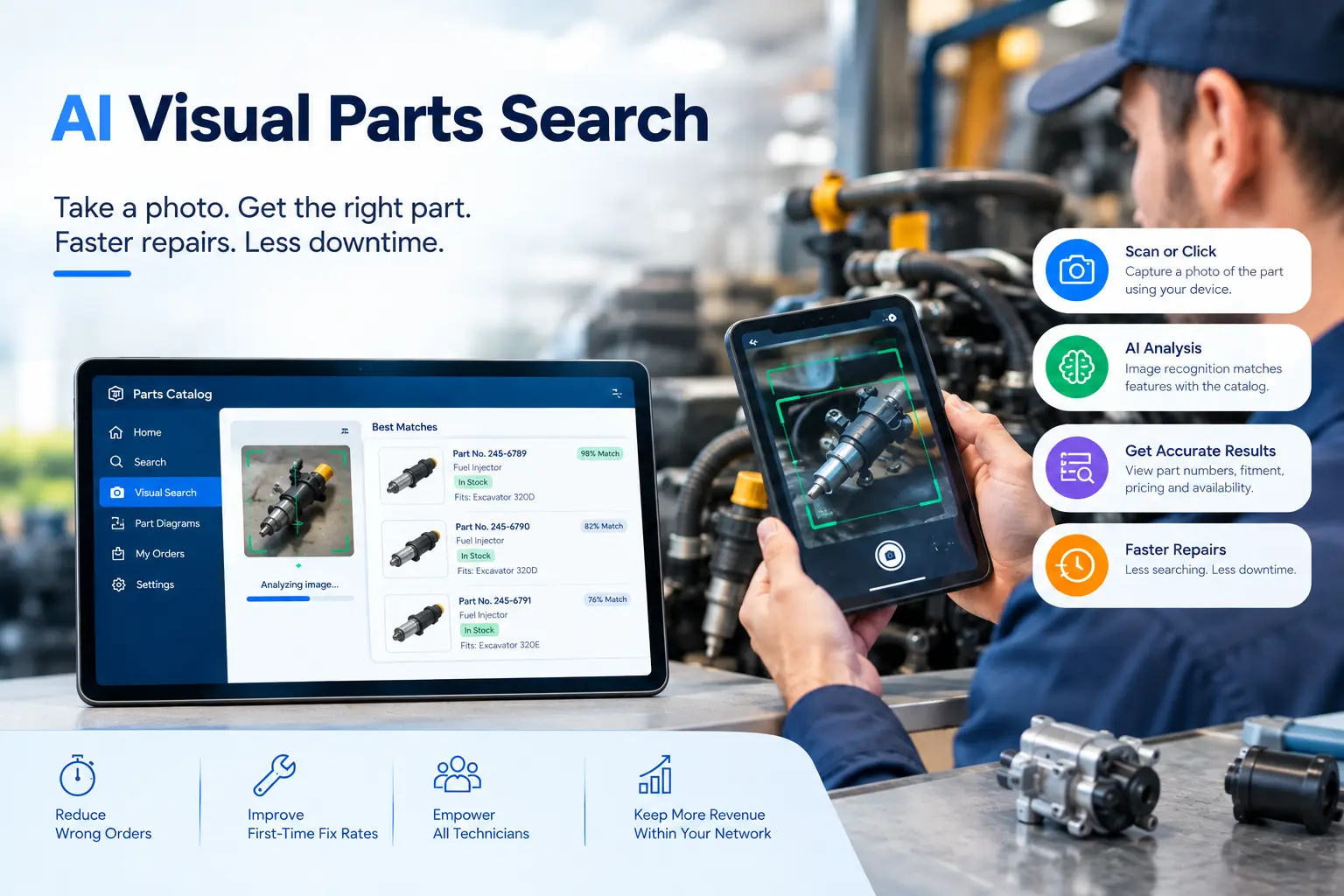
Why Do Technicians Struggle to Identify Parts Without Part Numbers?
Technicians struggle because part labels fade, get painted over, or were never printed clearly, and manual catalog lookup by description or drawing page is slow, especially across multiple equipment generations and private-label parts.
Common reasons part identification breaks down on the floor
- Worn, greasy, or corroded labels that are no longer readable
- Aftermarket or private-label parts that don't carry the OEM part number at all
- Older machines running on equipment generations no longer in the current catalog index
- Technicians in the field without access to a paper catalog or CAD drawing
- Time pressure that pushes technicians to guess or order the closest-looking part
This directly affects wrench time. According to Reliabilityweb, maintenance technicians spend over 60 percent of their day searching for tools, parts, and information rather than doing hands-on repair work.
Every minute spent hunting for a part number is a minute the equipment stays down. For OEMs and dealers, this shows up as longer repair windows, more calls to the parts desk, and more returns from wrong orders.
How Does AI Visual Part Search Work?
AI Visual Part Search works by capturing an image of a part, extracting its visual features such as shape, size, connectors, and markings, and comparing those features against a trained parts catalog to return ranked matches in seconds.
The Typical Process
- Image Capture: the technician takes a photo with a phone, tablet, or handheld scanner
- Analysis: the software isolates the part from the background and reads its shape, contours, ports, and any visible text or codes
- Similarity Matching: an image recognition model compares those features against a catalog of trained reference images
- Ranking: the system returns the closest matches, ordered by confidence, with part numbers and specs attached
- Confirmation: the technician selects the correct match, checks compatibility, and orders or logs the part
The accuracy of this process depends on how well the underlying catalog is trained. A parts catalog with clean reference photos, consistent naming, and accurate model-fitment data will return sharper matches than one built from scanned paper catalogs or inconsistent images.
What Are the Key Benefits of AI Visual Part Search for OEMs and Service Teams?
The main benefits of AI visual search are faster part identification, fewer wrong-part orders, less dependence on senior staff knowledge, and shorter equipment downtime, all of which reduce service cost and improve first-time-fix rates.
Business impact
- Faster diagnosis: technicians confirm a part in seconds instead of paging through a catalog or calling the parts counter
- Fewer wrong orders: matching by image reduces guesswork, which cuts return shipments and re-orders
- Lower training burden: new or junior technicians can identify parts without years of catalog familiarity
- Better field service: technicians working offsite or on legacy equipment aren't blocked by missing documentation
- Higher first-time-fix rates: the right part gets ordered on the first visit, not the second
Downtime cost is the reason this matters at the business level. Industry survey data from Fluke Corporation found that manufacturers experiencing unplanned downtime lose an average of 1.7 million dollars per hour, and over 60 percent of manufacturers reported at least one unplanned outage in the past year.
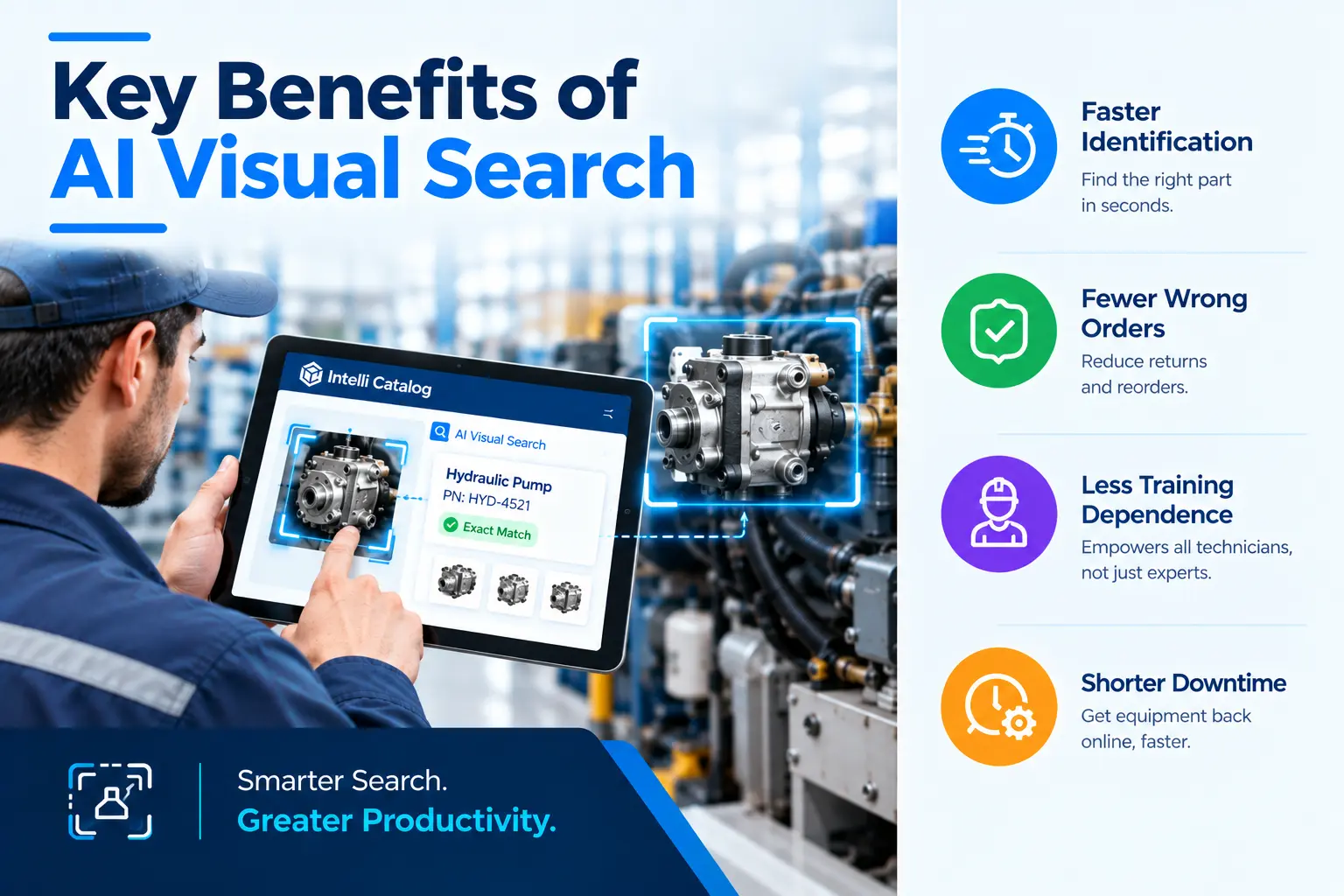
Even a modest cut in part identification time, from minutes down to seconds, adds up quickly when downtime is priced by the hour rather than the minute.
How Does AI Visual Part Search Compare With Traditional Catalog Search?
Traditional catalog search requires a part number, model number, or manual page reference to start; AI Visual Part Search starts from a photo, which makes it faster when the part is unmarked, damaged, or unfamiliar to the technician.
Side-by-side comparison:
Most service organizations don't need to pick one over the other. The strongest setup keeps both search paths inside the same Electronic Parts Catalog, so a technician can search by part number, description, diagram, or photo depending on what information is available at the time.
How Does Intelli Catalog Support AI Visual Part Search?
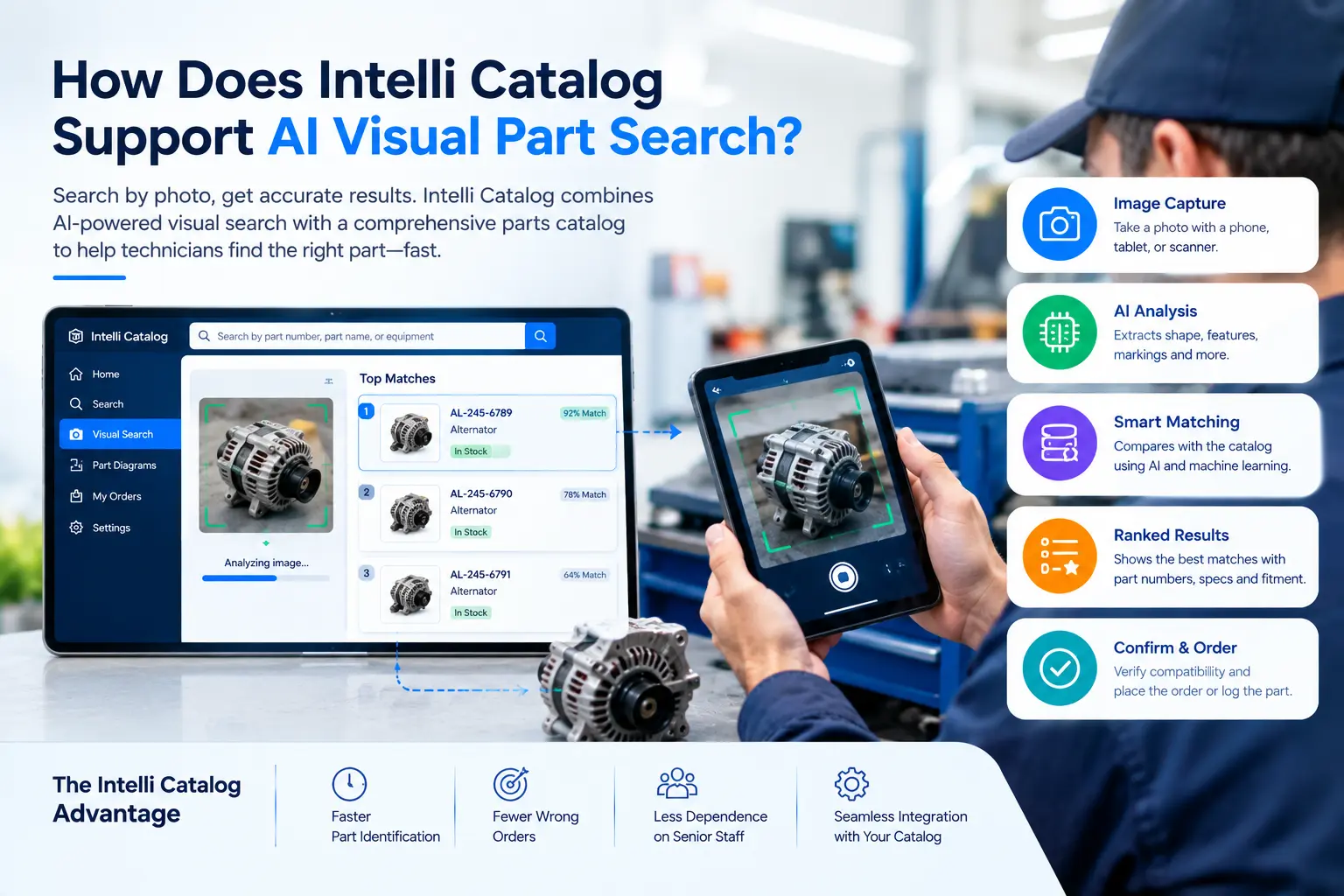
Intelli Catalog gives OEMs, dealers, and service teams a structured parts catalog that technicians can search by part number, diagram, description, or photo, with results linked directly to pricing, stock, and compatible models.
For B2B OEMs managing large part libraries across multiple product lines and equipment generations, keeping the catalog structured is what makes visual search accurate in the first place. Intelli Catalog builds and maintains that structured foundation, so a photo-based match returns a verified part number, not just a visual guess.
What this looks like in practice
- A dealer technician photographs an unmarked sensor and gets a confirmed part number with fitment details.
- A field service rep on a legacy machine finds the right gasket without a paper manual.
- A parts counter associate cuts call time by confirming a part visually rather than asking the customer to read a worn label.
- Service managers see fewer wrong-part returns and faster average repair times across the dealer network.
Conclusion
Part identification is still one of the most common reasons repairs take longer than they should. When a part number is missing, damaged, or simply unknown to the technician, the job stalls. AI Visual Part Search closes that gap by letting a photo do what a part number used to do.
For OEMs and dealers, the payoff is measurable: faster repairs, fewer wrong-part orders, less dependence on tenured staff, and a better experience for every technician working the floor or the field. Pairing AI Parts Identification with a well-structured Electronic Parts Catalog turns a photo into a confirmed part number in seconds, not a phone call and a wait.
See It In Your Own Catalog
See how AI Visual Part Search can work within your own parts catalog. Book a demo to discover how Intelli Catalog can identify the right part and confirm its part number in seconds.
Frequently Asked Questions:
What is AI Visual Part Search used for?
It is used to identify a part from a photo rather than a part number. Technicians, dealers, and field service teams use it when a part label is missing, worn, or unreadable, so they can confirm the correct part and order it without delay.
How accurate is AI Parts Identification?
Accuracy depends on how well the parts catalog is trained. A catalog with clean reference images and complete fitment data typically returns highly reliable top matches. Photos with poor lighting or unusual angles can lower match confidence, so the software ranks results for the technician to confirm.
Does Visual Parts Search Software replace the parts catalog?
No. It works best as a feature inside the parts catalog, not a separate tool. The catalog still holds part numbers, specs, pricing, and stock. Visual search simply gives technicians another way to find the right catalog entry when they don't have a part number.
Can this work in the field without internet access?
It depends on the platform. Some Visual Parts Search Software supports offline capture with sync once a connection is available, which matters for field service teams working in remote locations or inside large facilities with weak signal.
Who benefits most from AI Visual Part Search?
OEMs, dealers, distributors, and field service teams with large or complex parts catalogs benefit most, especially when technicians handle multiple equipment generations, private-label parts, or machines where labels are commonly missing or damaged.


Explore More Insights






.webp)


About the Author


Nishant Sharma
Nishant Sharma is the Head of Demand Generation at Intellinet Systems, specializing in B2B marketing, sales, digital transformation, and automotive aftermarket solutions. He shares insights on emerging technologies, industry trends, and strategies that help OEMs and businesses improve operational efficiency, customer experience, and aftermarket growth.


